This is how to make a Windows CD bootable (XP) but will work on Windows 2000 and Windows 2003.
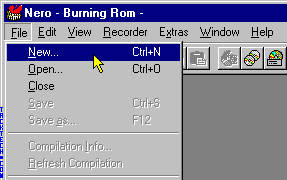
Start Nero - Burning Rom.
Select File > New... from the menu.
--------------------------------------------------------------------------------
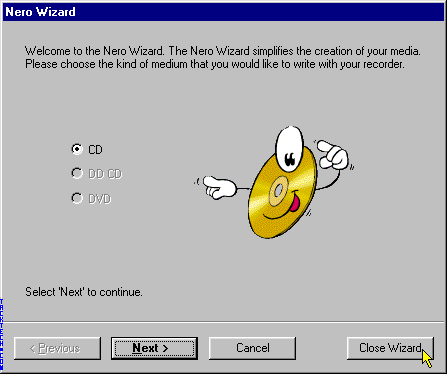
Start Nero - Burning Rom.
If the Nero Wizard starts, click the Close Wizard button.
--------------------------------------------------------------------------------
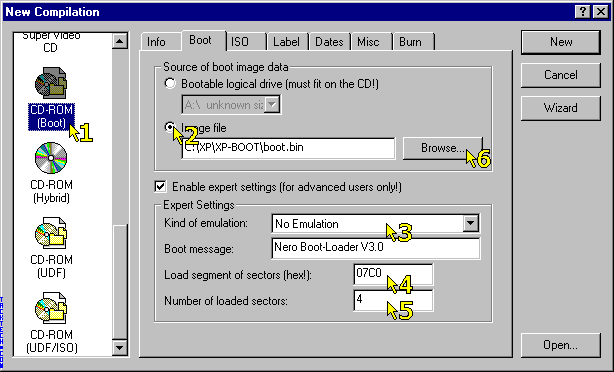
1.) Select CD-ROM (Boot)
2.) Select Image file from Source of boot image data
3.) Set Kind of emulation: to No Emulation
4.) Set Load segment of sectors (hex!): to 07C0
5.) Set Number of loaded sectors: to 4
6.) Press the Browse... button
--------------------------------------------------------------------------------
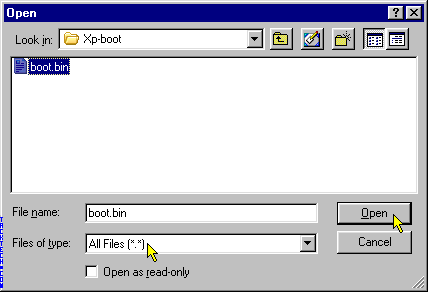
Select All Files (*.*) from File of type:
Locate the BootSector file (boot.bin)
--------------------------------------------------------------------------------
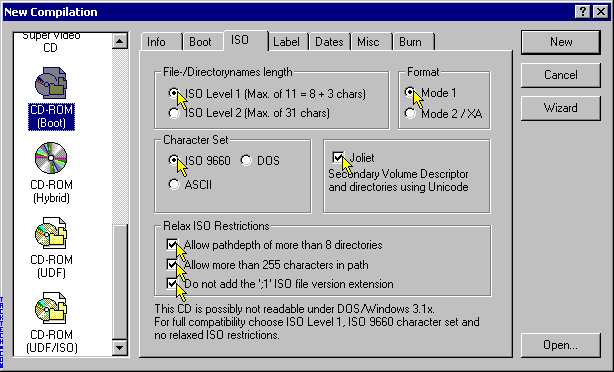
Set File-/Directory length to ISO Level 1 (Max. of 11 = 8 + 3 chars)
Set Format to Mode 1
Set Character Set to ISO 9660
Check the Joliet check box
Check all Relax ISO Restrictions
--------------------------------------------------------------------------------
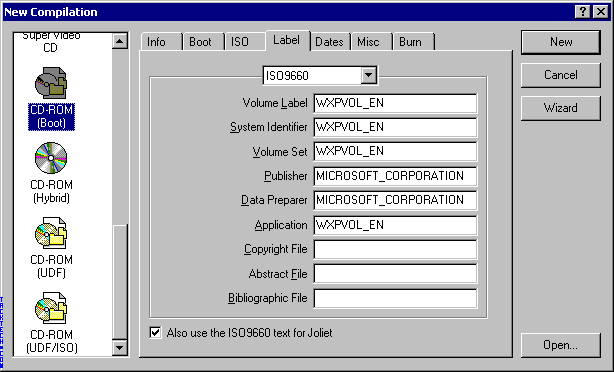
Select ISO9660 from the drop down box.
Enter the Volume Label as WXPVOL_EN
Enter the System Identifier as WXPVOL_EN
Enter the Volume Set as WXPVOL_EN
Enter the Publisher as MICROSOFT_CORPORATION
Enter the Data Preparer as MICROSOFT_CORPORATION
Enter the Application as WXPVOL_EN
--------------------------------------------------------------------------------
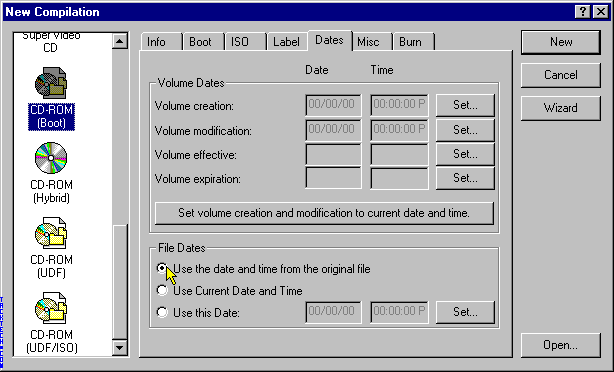
Select Use the date and time from the original file from File Dates
--------------------------------------------------------------------------------
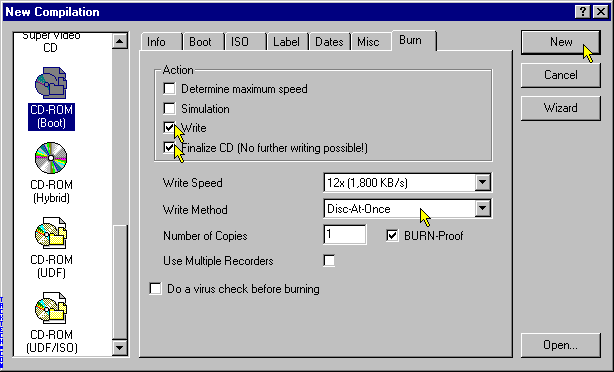
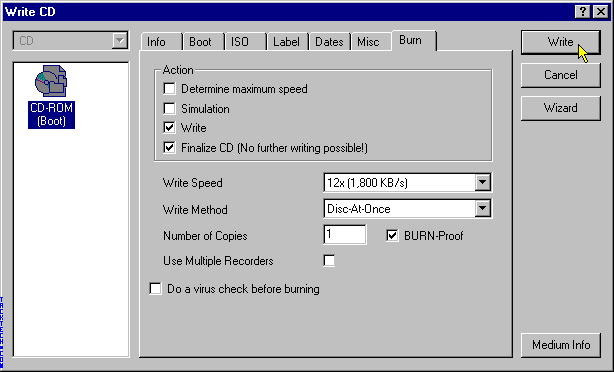
Check Write
Check Finalize CD (No further writing possible!)
Set Write Method to Disc-At-Once. (We have had Track-At-Once work as well.)
--------------------------------------------------------------------------------
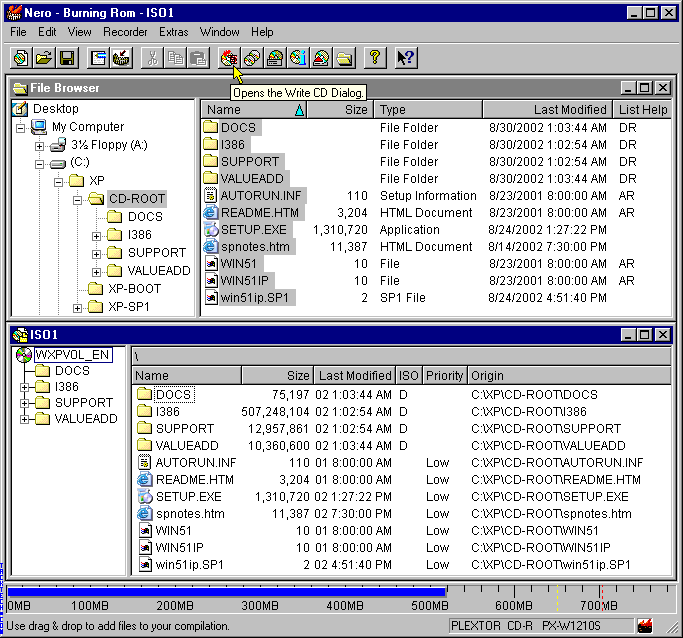
Select everything in the folder and drag it to the ISO compilation panel.
Click the Write CD Dialog button.
--------------------------------------------------------------------------------
Click the Write button
--------------------------------------------------------------------------------
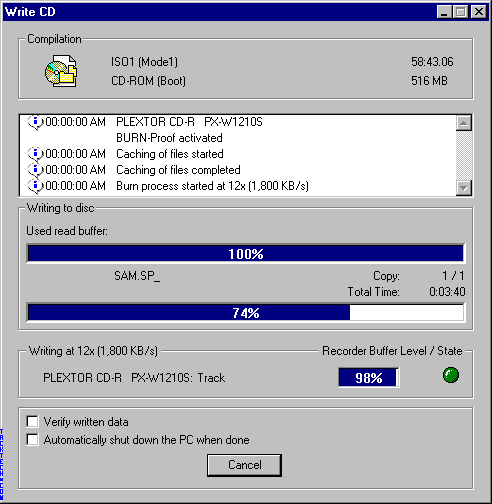
Wait for CD creation to finish.
--------------------------------------------------------------------------------
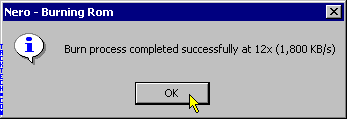
Click OK
--------------------------------------------------------------------------------
Process complete. You're done.